365 Message Center Show #365MCS cover art

365 Message Center Show #365MCS

365 Message Center Show #365MCS

By: Daniel Glenn and Darrell Webster
Listen for free

About this listen

A weekly review of the Microsoft 365 Message Center, with Daniel Glenn, Darrell Webster, and special guests. 365MCS.com #365MCSCopyright 2024 All rights reserved. Politics & Government
Episodes
  • 406 - Unacceptable Message Center Show Response
    Dec 1 2025

    Sounds dramatic. But we're just sticking with the error code episode number theme till we can't make any further stories from them.

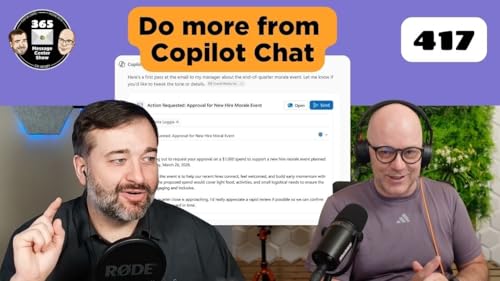
    Copilot Chat can schedule meetings and offers a new entry point in Word, Excel, and PowerPoint. We'll also see a new Learning agent that surfaces training content and offers role playing lessons from LinkedIn Learning.

    0:00 Welcome

    2:16 Organizational Messages now support Action Segments for Microsoft 365 Copilot - MC1189666

    4:44 Organizational Messages to support email delivery - MC1189665

    7:30 Schedule meetings directly in Copilot Chat - MC1189914

    12:48 Updated UI for Copilot Chat entry point in Word, Excel and PowerPoint apps - MC1189000

    16:19 Learning agent in Frontier - MC1187676

    Show More Show Less
    24 mins
  • 404 - Message Center Show episode not found
    Nov 17 2025

    You managed to find the episode. Now search for where Copilot App Skills are re-moving in Excel. Find out how Copilot can reschdule meetings for you if you get double-booked. Find a way for Researcher and Analyst agents to connect to other agents and use them - sub-contracting!

    0:00 Welcome

    1:57 App Skills in Excel will be retired - MC1184407

    4:31 Agent mode in Excel generally available soon (formerly part of the Frontier program) - MC1184408

    7:19 Microsoft 365 Copilot: Configure connected agents for Researcher and other agents - MC1184654

    14:28 Copilot can now automatically reschedule 1:1 meetings and personal events based on your preferences - MC1184999

    22:25 Decoupling admin controls for agents on/off from Researcher and Analyst - MC1185442

    26:07 Microsoft 365 Copilot: Steer your presentation length, tone, style, and images when creating with Copilot - MC1185911

    30:35 Microsoft Purview compliance portal: Purview Information Protection | Classifier Simulation Mode (Health Monitoring) - MC1185445

    Show More Show Less
    35 mins
  • Meeting Polls. FAQ checkers. Rating calls | Ep 403
    Nov 10 2025

    In this 403 Forbidden episode we go to the polls, check our FAQs, and rate our calls. This episode is full of variety, seeing an old Microsoft Garage feature completely absorbed into Outlook, FAQs that help to keep themselves updated and correct, and a new way to rate our calls.

    0:00 Welcome

    2:44 Native polls integrated into New Outlook calendar compose form - MC1182003

    8:40 SharePoint FAQ web part: AI-powered updates for easier content management and seamless import - MC1182704

    12:23 Microsoft Teams: Chat with anyone with an email address - MC1182004

    17:13 Microsoft Viva Engage: Flexible targeting of Storyline Announcements - MC1183013

    24:57 Microsoft Copilot Notebooks: Overview page with Copilot-powered summaries and insights - MC1182698

    29:28 Rate my call feedback experience update in Microsoft Teams - MC1183608

    Show More Show Less
    36 mins
No reviews yet
In the spirit of reconciliation, Audible acknowledges the Traditional Custodians of country throughout Australia and their connections to land, sea and community. We pay our respect to their elders past and present and extend that respect to all Aboriginal and Torres Strait Islander peoples today.